All updates
Improvement
Custom Fields Now Work with the Chat Widget
Collect better context before the conversation even begins.
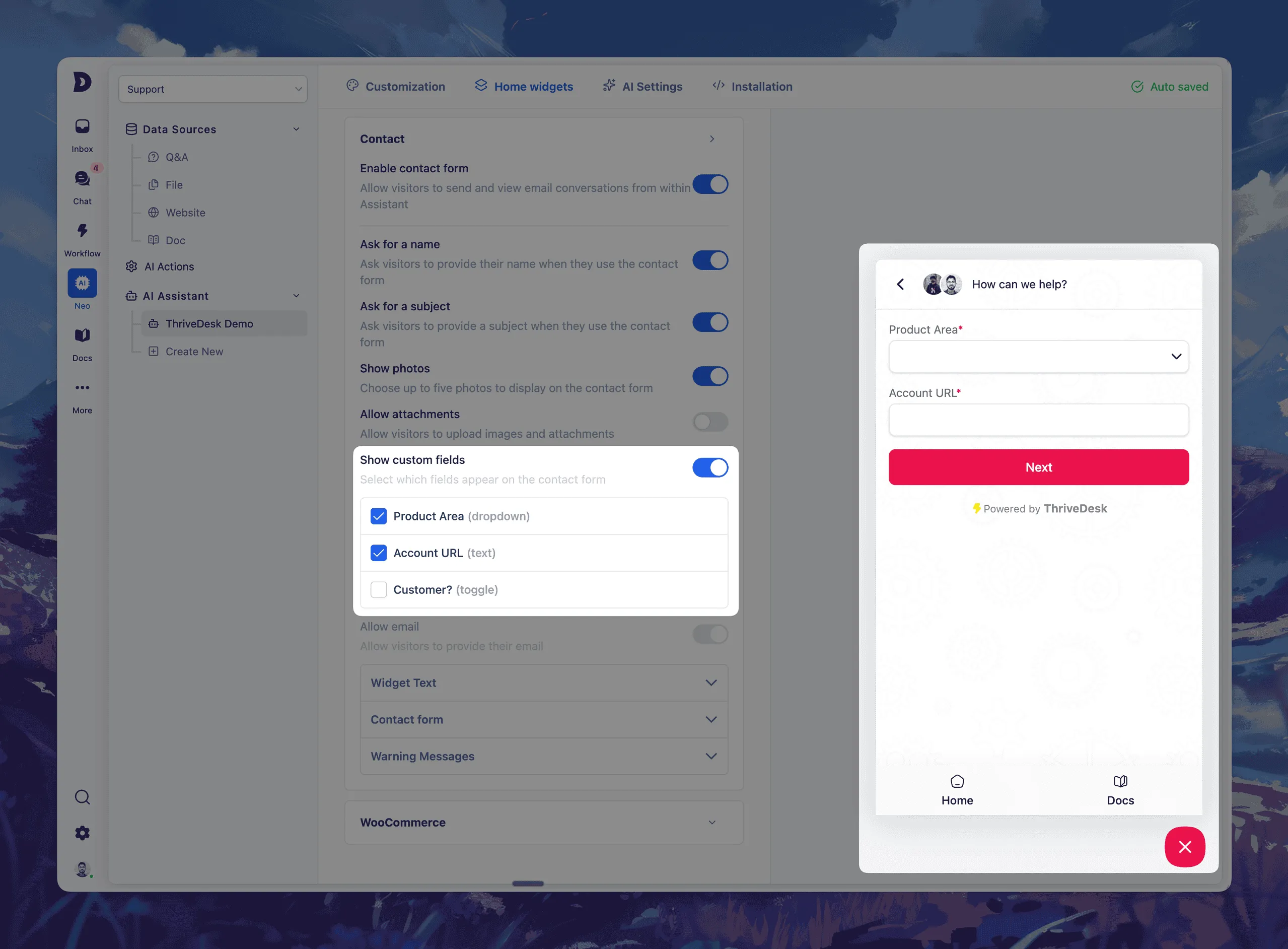
Last month, we launched Custom Fields for Tickets, so your team could capture structured data right inside every conversation.
Today, we’re taking that one step further.
You can now add custom fields to your chat widget’s contact form – giving you richer insights before a ticket is even created.
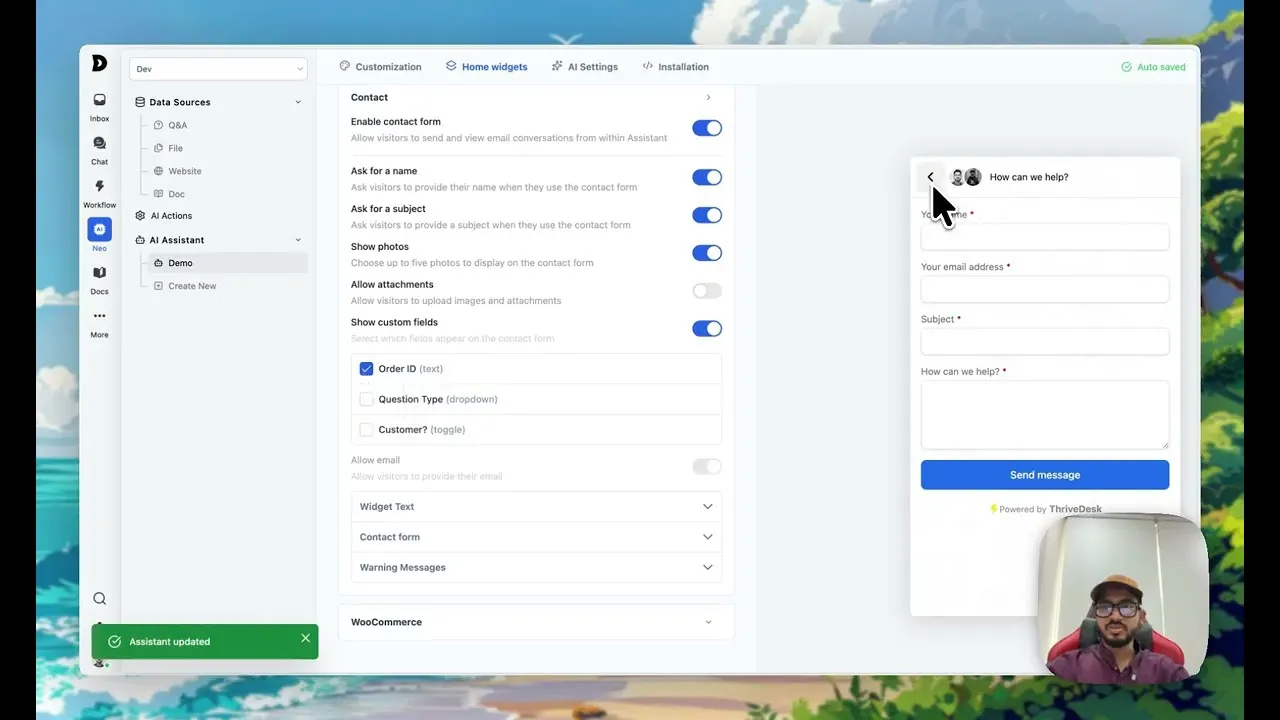
✨ What’s New
This means less back-and-forth, better routing, and faster resolutions.
- Select up to 5 custom fields to include in your chat widget’s contact form
- Field types supported: dropdown, text input, and toggle
- Your visitors will fill these out before submitting a message
- All responses appear directly in the ticket sidebar
💡 Use it to:
Setup is easy — just head to Neo → Open chat widget → Home Widgets → Contact Form → Custom Fields, toggle on what you need, and go live.
- Ask for order numbers, product areas, account URLs, or custom tags
- Auto-assign tickets based on dropdown selections
- Collect key info before your team even replies
Improvements & Bug Fixes
Core
- Refactor: core architecture refactor & modernization
- Fix: Inbox View Clutter
- Fix: Drafts folder shows sent emails
- Fix: change contact not working issue
- Fix: active link issue
- Fix: search state issue
- Fix: chat widget not found error
- Fix: Neo infinite api calling
- Fix: EDD data display issue
- Fix: Draft issue fixed
- Fix: Chat widget duplication issue resolved
- Fix: Orphan chat widget navigation handled
- Fix: ai settings not saving issue in chat widget
- Fix: verify email modal visibility issue
Knowledge Base
- Fix: Featured category selection issue by comma-separated slugs
- Fix: Vimeo Link Insertion Issue in Edito
- Fix: TOC links scrolling behind sticky header in documentation layout
- Feat: KnowledgeBase API
- Feat: Article autosaving & versioning
Mobile App
- NEW: Swipe Actions on Tickets
- NEW: @Mentions in Notes
- Feat: new dashboard page for better insights.
- Improvement: added more context and info to the live chat feature (i) button.




