Introducing the ThriveDesk AI Experience
A unified AI interface, instant embedding, and a new AI Playground for training, testing, and customizing your chatbot in one place.
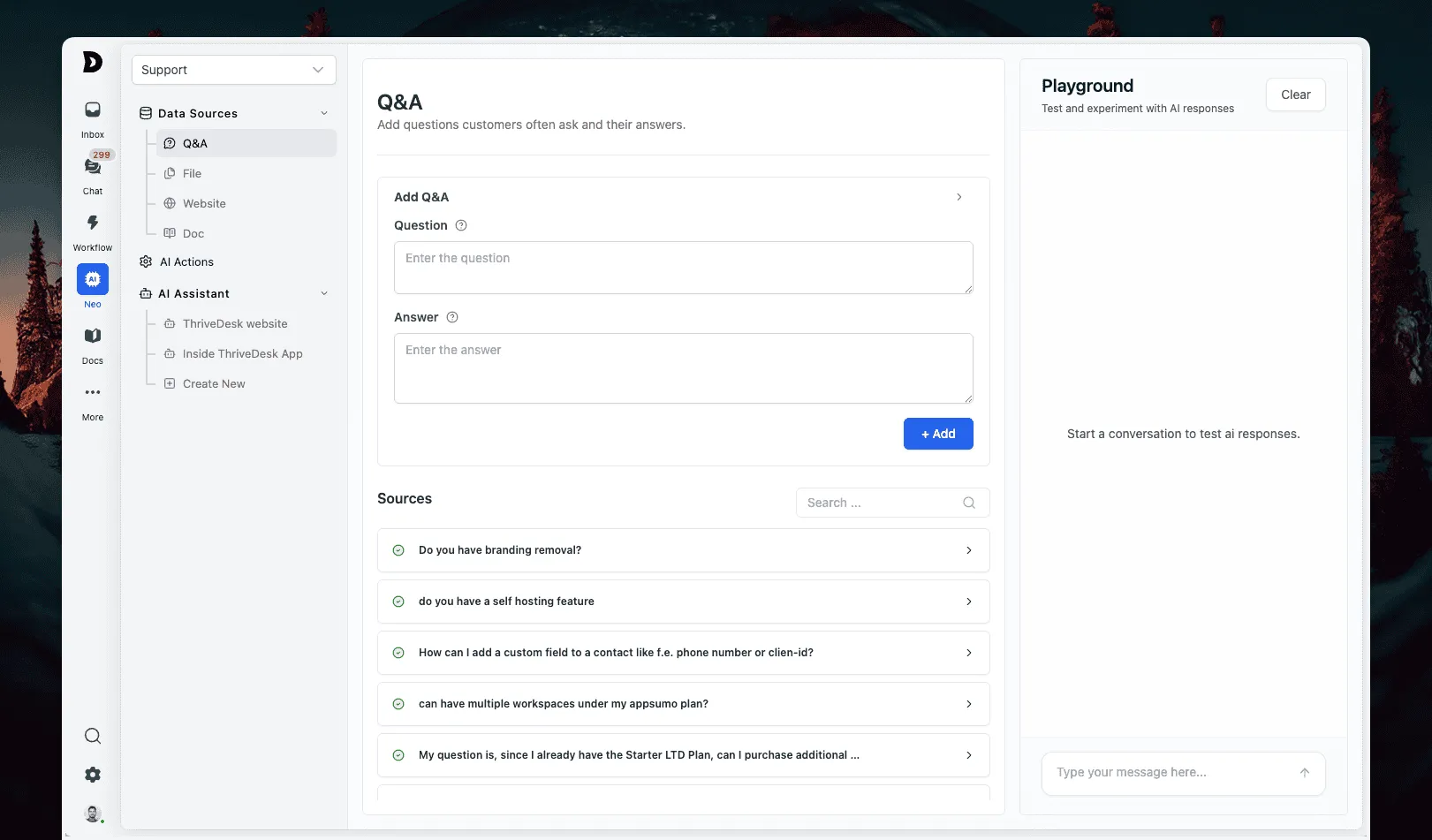
No more juggling between multiple pages or waiting for updates to apply.
Unified AI Interface
All AI settings are now organized in a single interface, making it easier to configure and manage your chatbot without switching between pages.
Instant Embedding
Training data is now embedded instantly. Upload a doc, tweak a knowledge source, or add a website page—your chatbot learns it on the spot, without delays.
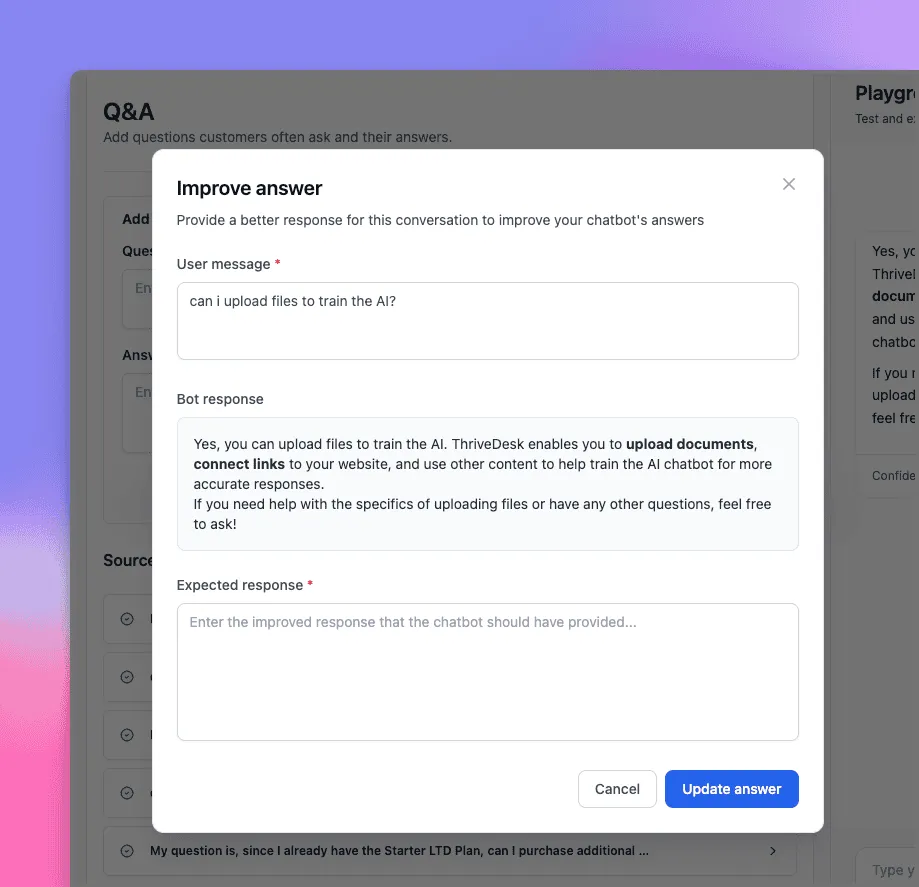
AI Playground
Test Neo’s replies before deploying to your site. Don’t like the answer? Hit “Improve” and refine it right away.
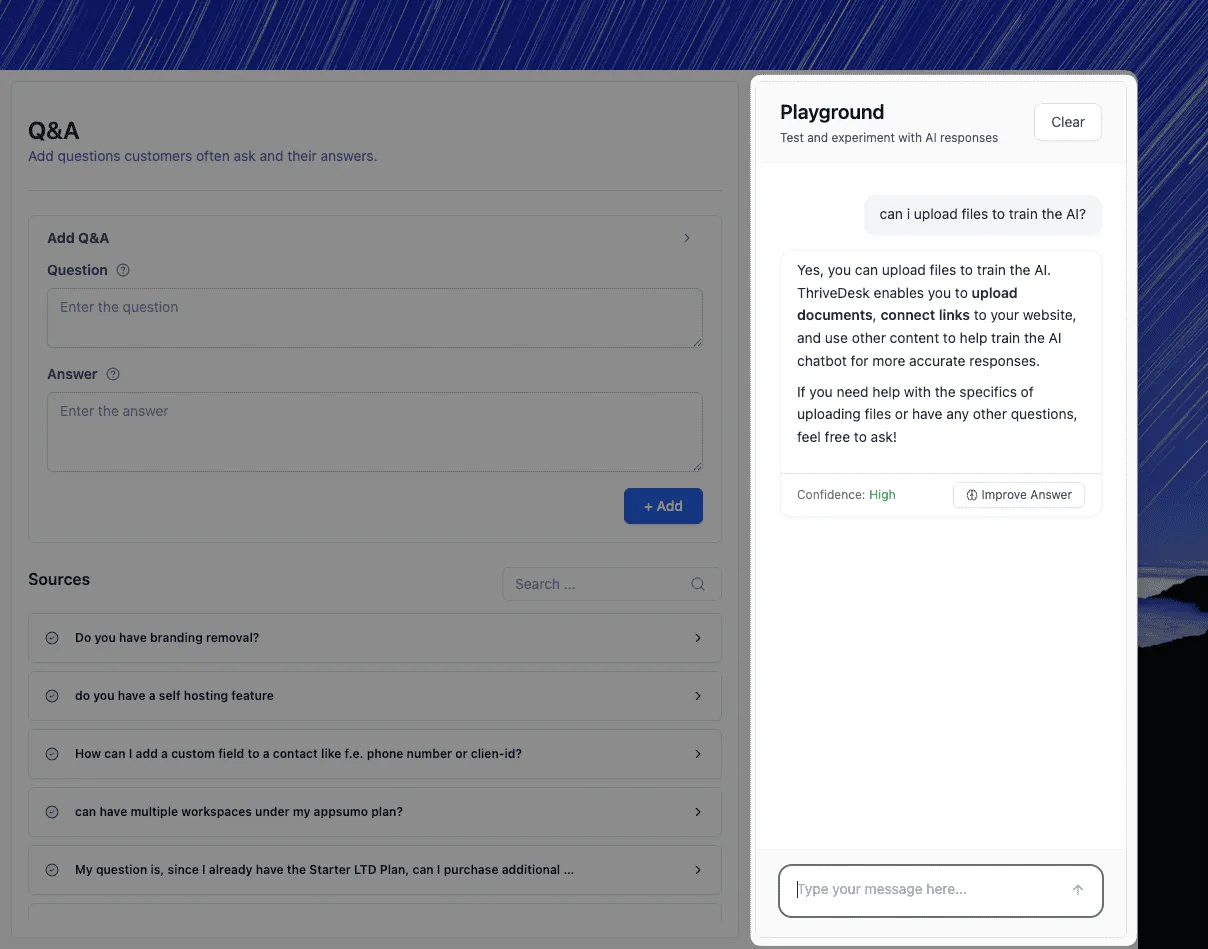
Chat With Your Files
Upload docs, PDFs, HTML, or spreadsheets and start chatting with them instantly. Neo can now read and respond directly based on your files.
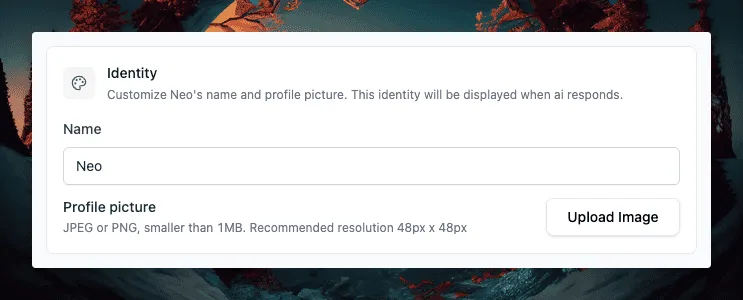
AI Identity
Give your chatbot an identity—change its name and icon to better align with your brand.
Smarter Knowledge Handling
- Newly added docs are auto-indexed for faster availability.
- You can now disable individual docs or website pages from training sources when needed.
- You can now create an AI chat widget from the same page, without navigating elsewhere.
Bug Fixes
- Fixed spacing issue in inbox signature.
- Fixed issue where empty messages could be sent in live chat.




