Introducing Split Conversations: Create Focused Threads With One Click
Split a message into its own thread so each conversation stays on one topic.
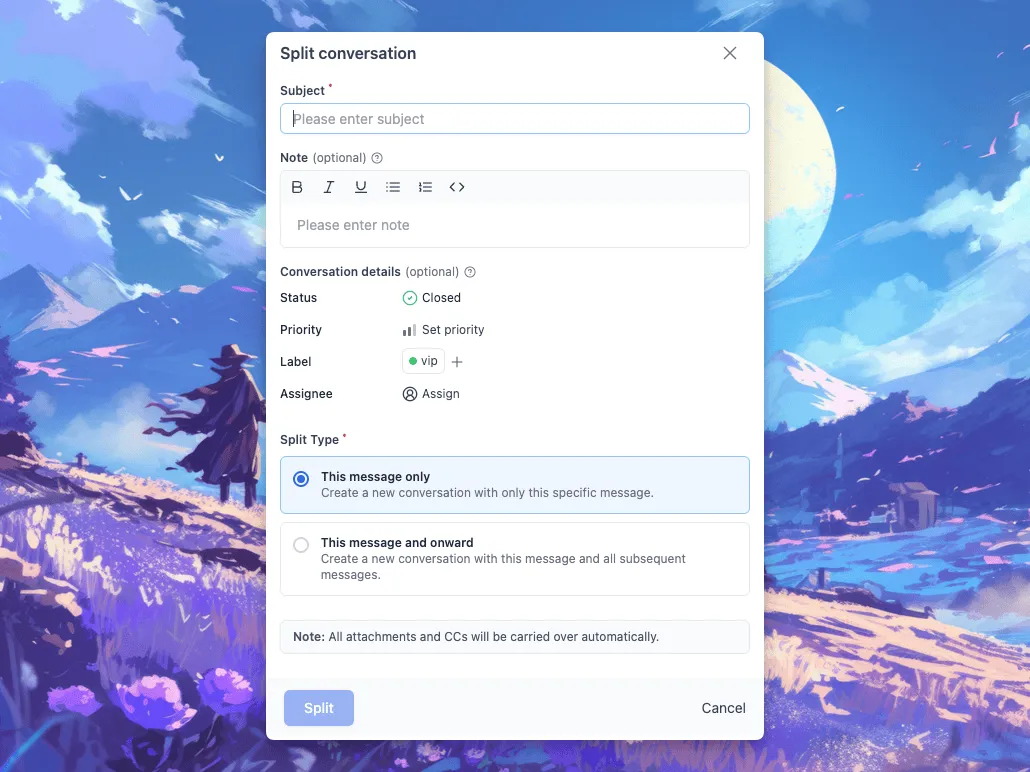
Support emails have a way of drifting. One thread starts as a billing question and picks up two unrelated bugs along the way.
Now you can pull those messages out into a new conversation with its own subject, instead of forcing everything into one long thread.
Each conversation stays on one topic, so it’s easier to reply to and easier to track.
How It Works
You can split any part of a conversation with just two clicks:
Read more on our split conversation documentation.
- Open the message options menu.
- Select Split conversation to create a new conversation.
WordPress Plugin (Version 2.1.5)
- Fixed PHP date warnings.
- Fixed search result “object object” output error.
- Corrected broken documentation links.
Android App Update
Introducing the “All” Folder: View every conversation across inboxes in one place, so you have full visibility on mobile.
New delivery status badges: Messages now clearly show Failed or Bounced states for quick troubleshooting.
Improved Stability: Fixed issue where some conversation pages appeared blank.
Improvements & Bug Fixes
- Neo’s static UI text can now be translated, allowing you to localize your support experience.
- Page titles now update instantly when the subject changes.
- Conversation navigator updates correctly when the assignee changes.
- Fixed undefined filter issue on the conversations page.
- Fixed undefined runtime errors.
- Corrected assignee button width to prevent layout breaking.
- Added missing status thread event for more accurate updates.




