
SupportCandy’s core plugin is free to install from WordPress.org. That’s the number that draws people in. It’s also where a lot of teams get stuck. Live chat, more than one agent view, and email piping past the basics all sit behind a paid add-on bundle, so the real cost only shows up after you’re a few tickets in. For a WooCommerce store, none of those add-ons put order data next to the ticket either.
The best SupportCandy alternatives in 2026 are: 1) ThriveDesk, for live chat and a help center alongside tickets on WordPress; 2) Awesome Support, for a free WordPress-native helpdesk plugin; 3) JS Help Desk, for affordable, configurable ticketing; 4) Help Scout, for an email-first shared inbox; 5) Richpanel, for multi-store ecommerce self-service; 6) KB Support, for knowledge-base-led self-service.
We compared these the way you’d actually pay: an annual site licence for the WordPress plugins, a monthly seat for the hosted tools, at the team size you have rather than the smallest tier. We also weighed how directly each one shows WooCommerce order data in a ticket. Every ThriveDesk and Help Scout price below was checked on the vendor’s pricing page in September 2026.
What SupportCandy does well, and where it hurts
SupportCandy is a ticket system plugin that runs entirely inside WordPress. Custom forms, ticket assignment and reporting all live in the free core plugin, and paid add-ons cover the rest. It suits a site that wants tickets kept on its own WordPress install rather than moved to a separate hosted tool, and it’s often the first plugin a small store tries before it outgrows a ticket form alone.
Setup is a familiar WordPress plugin install rather than a separate account to configure. That’s part of the appeal for a site that already manages everything else from the same dashboard.
Top features
- Custom ticket forms and fields for collecting the right information upfront.
- Ticket assignment, private notes and canned replies.
- Basic reporting on ticket volume and agent activity.
- Email piping, so incoming support emails become tickets automatically.
- A free core plugin, with paid add-ons for live chat, more than one agent view, and other extras.
Pricing
SupportCandy follows the standard WordPress plugin pattern: a free core plugin on WordPress.org, with paid add-ons for the features that push past basic ticketing. There’s no hosted tier and no monthly seat to buy. The cost instead shows up gradually, as one add-on after another gets added to the cart.
Why teams look for alternatives
- The free plugin covers ticketing only. Live chat, extra agent views and reporting depth sit behind paid add-ons. The real total is rarely the number on the plugin page.
- There’s no built-in knowledge base without a separate plugin or add-on.
- Everything runs on your own WordPress install. Hosting, backups and plugin conflicts are your problem, not a vendor’s.
- Scaling past a small team means stacking more add-ons, rather than moving up a plan.
- Support depends on the add-on stack. A conflict between two add-ons from different developers isn’t anyone’s clear responsibility. Neither vendor has to own the fix.
Quick comparison
Starting prices are each tool’s cheapest paid tier or licence, as shown on its own pricing page.
| Tool | Best for | Pricing model | Platform | Beyond tickets |
|---|---|---|---|---|
| ThriveDesk | Live chat and a help center on WordPress | $29 a month, flat | Hosted, with WP Portal | Live chat, Neo AI agent in every plan with no per-resolution fee, knowledge base, WooCommerce data |
| Awesome Support | A free WordPress-native plugin | Free core, paid add-ons | WordPress plugin | Ticketing, with chat and forum as add-ons |
| JS Help Desk | Affordable, configurable ticketing | Annual site licence | WordPress plugin | Ticketing and a basic knowledge base |
| Help Scout | An email-first shared inbox | $25 a user a month | Hosted | Shared inbox, Docs, Beacon chat widget |
| Richpanel | Multi-store ecommerce self-service | Tiered, per agent (no published figure) | Hosted | Self-service portal, live chat |
| KB Support | Knowledge-base-led self-service | Annual site licence | WordPress plugin | Knowledge base and ticket forms |
How we evaluated
These tools charge in two different ways, so we compared them the way you’d actually pay. That’s an annual site licence for the WordPress plugins, and a monthly seat for the hosted platforms, at the team size you have rather than the smallest tier. We looked at what each one covers beyond tickets, including a knowledge base, live chat and reporting. We also checked whether there’s a free version or trial to test first, and whether the tool stays on your own WordPress install or moves support to someone else’s servers. We also noted how each one handles a WooCommerce order lookup, since that’s a big share of ticket volume for a store. Help Scout and ThriveDesk prices were checked on the vendor’s pricing page in September 2026. The plugin prices here describe the billing model only, since none of them publish a figure we could verify.
1. ThriveDesk: live chat and a help center alongside tickets
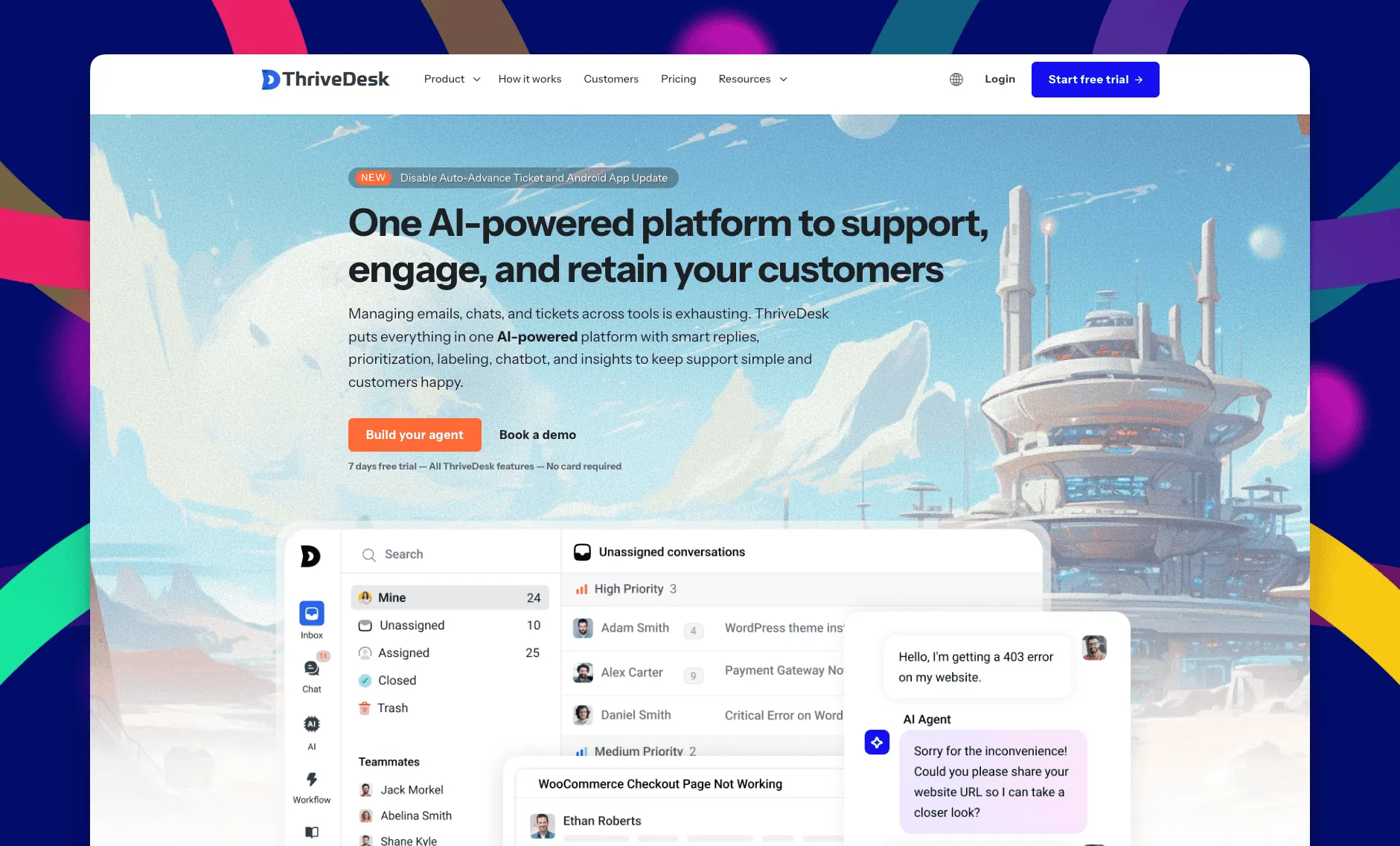
ThriveDesk is AI customer service software for ecommerce: an agentic omnichannel helpdesk, intelligent chatbot, modern help center and powerful reporting, plus Neo, the AI agent that answers customers around the clock. It’s built for WordPress stores and small support teams that want live chat and a knowledge base next to their tickets, not a plugin that only does one of the three. Everything runs in one hosted workspace, and WP Portal puts a customer-facing page on your own WordPress site.
A shared inbox instead of a plugin dashboard
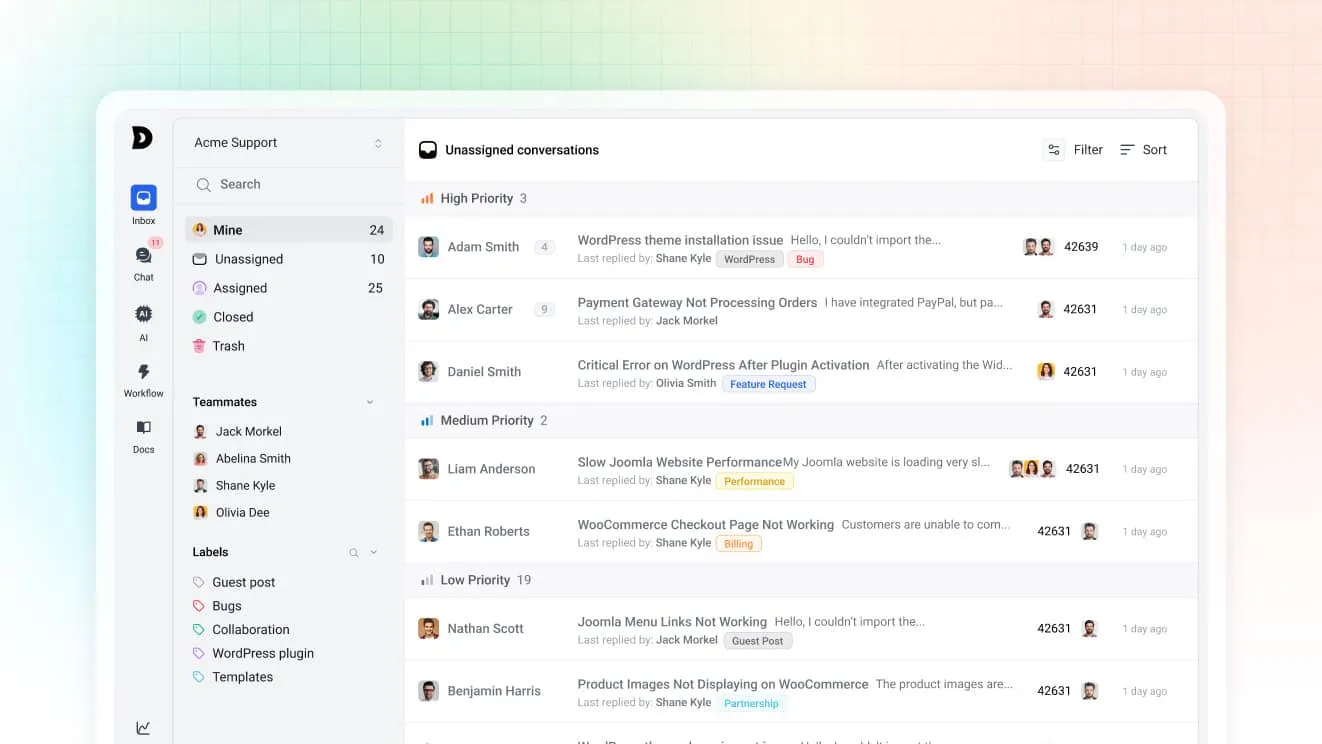
Email, chat and the contact form land in one queue, and the team works it together. Collision detection shows who’s already replying, so nobody answers the same customer twice. Assignment rules route by tag or priority, and custom views give each agent a filtered inbox by status or assignee.
Neo does the repetitive part
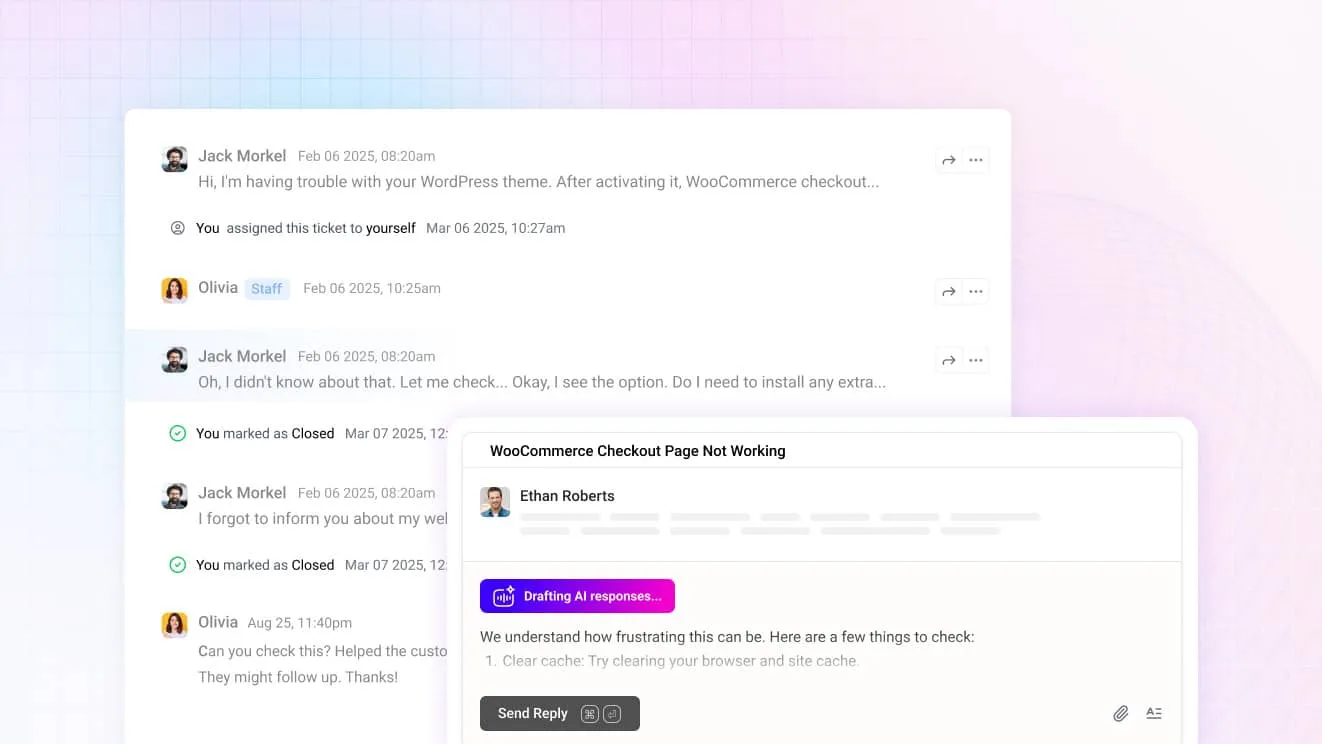
Neo is on every plan, with no per-resolution fee. It answers common questions on its own, so the queue only holds the ones that need a person, and workflow rules handle the tagging and routing around it. For your team, Copilot drafts replies you can send or edit and summarizes a long thread before you read it.
One widget for chat, forms, orders and articles

The chat widget handles live chat, the contact form, order lookup and knowledge base search from one bubble. A SupportCandy ticket form alone can’t cover that. It only takes the request in and waits for an agent to reply. There’s no chat or search option beside it unless a separate plugin adds one.
Store data inside the conversation
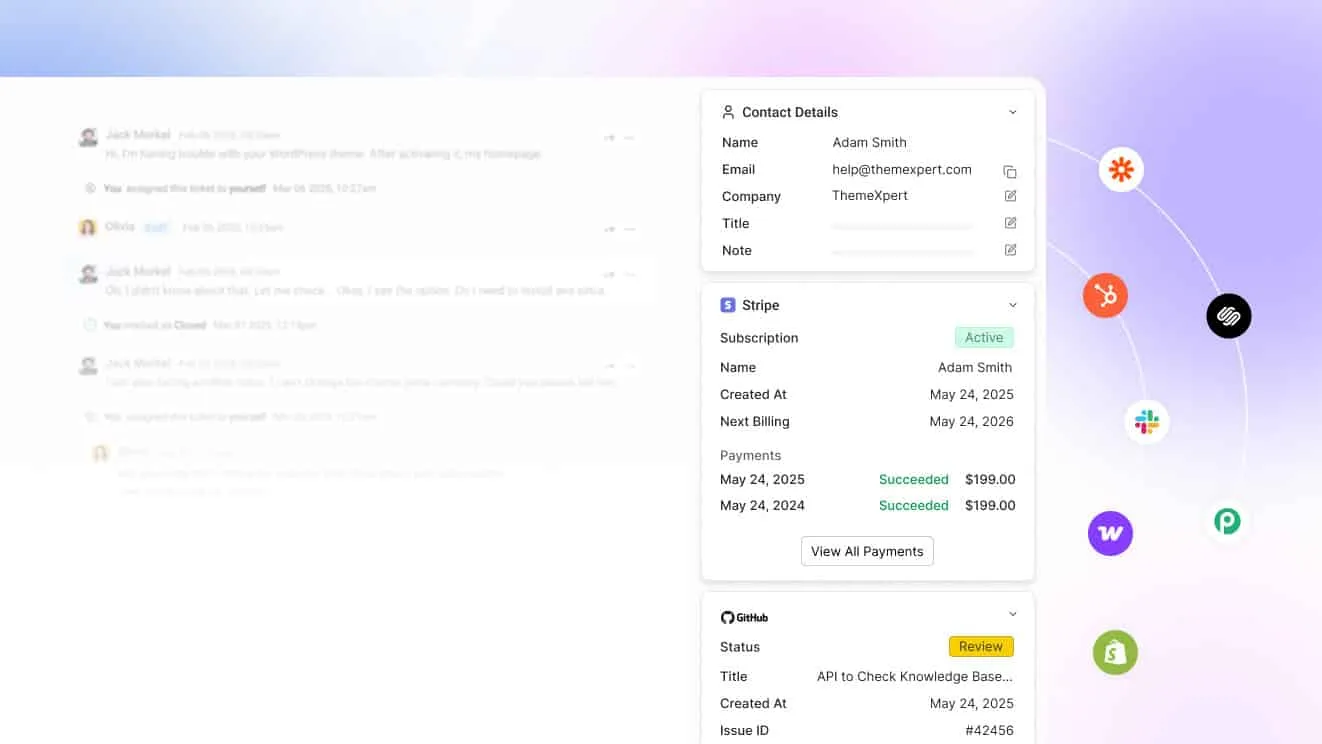
Connect WooCommerce, SureCart or Freemius and the order or purchase shows next to the message. An agent can check or update it without leaving the reply to open another tab. That’s the part a ticket-only plugin has no way to show. SupportCandy’s own form has no order context built in, so that lookup happens in a second tab or a second plugin instead.
A help center that takes questions off the queue
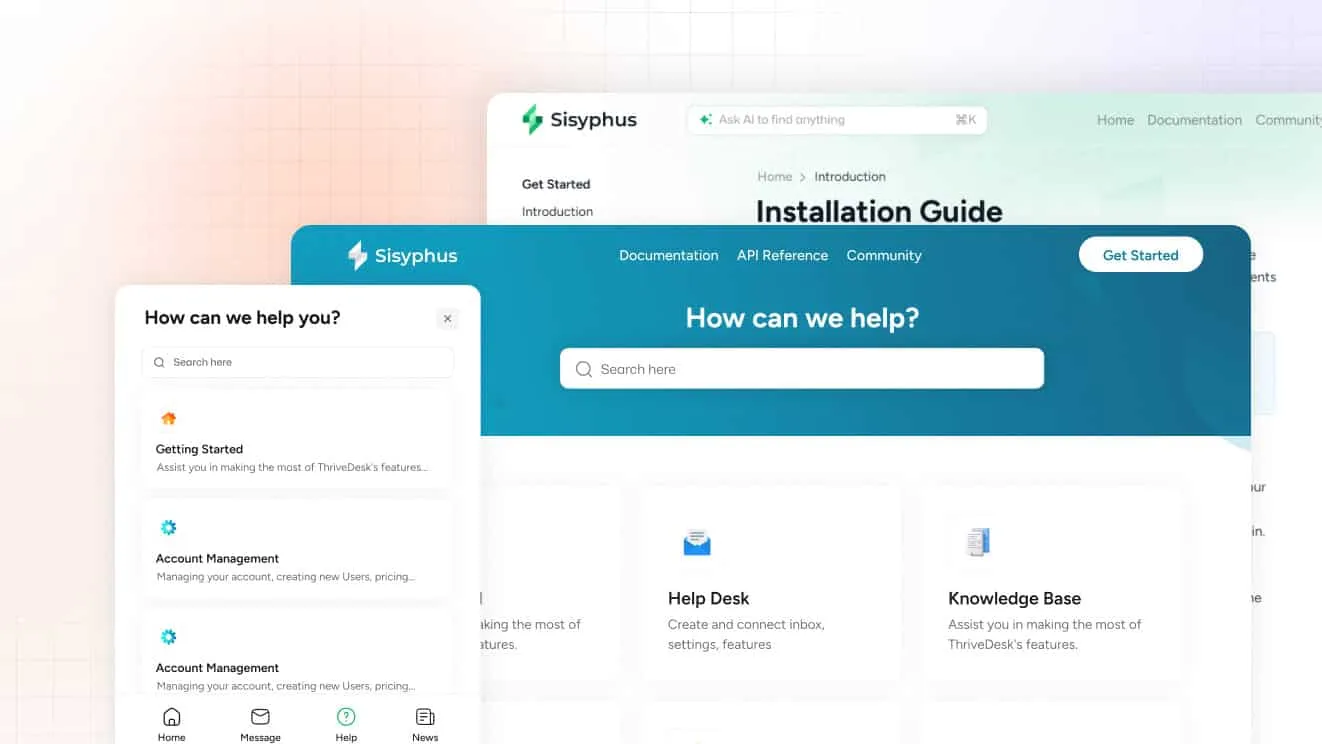
The help center has a block editor, AI help for first drafts, and AI search that also works inside the widget. WP Portal adds a customer-facing page on your own site, so support doesn’t have to feel like it moved off WordPress. SupportCandy needs a separate plugin for any of this. The core ticket form doesn’t publish articles on its own.
What it costs
Basic is $29 a month for 2 teammates and 1 inbox. Standard is $69 for 5 teammates and 2 inboxes, and Unlimited is $129 for unlimited teammates and 5 inboxes. Unlimited is also where WP Portal, private help centers and visitor tracking turn on. Annual billing brings those to $19, $49 and $99. The trial is 7 days, no card required.
Why teams evaluate ThriveDesk as a SupportCandy alternative
- Live chat and a knowledge base are built in, not separate add-ons to buy and configure.
- WP Portal keeps a native page on your own WordPress site, instead of moving support fully off it.
- WooCommerce, SureCart and Freemius data sit next to the ticket, which a ticketing-only plugin can’t show.
2. Awesome Support: best for a free WordPress-native plugin
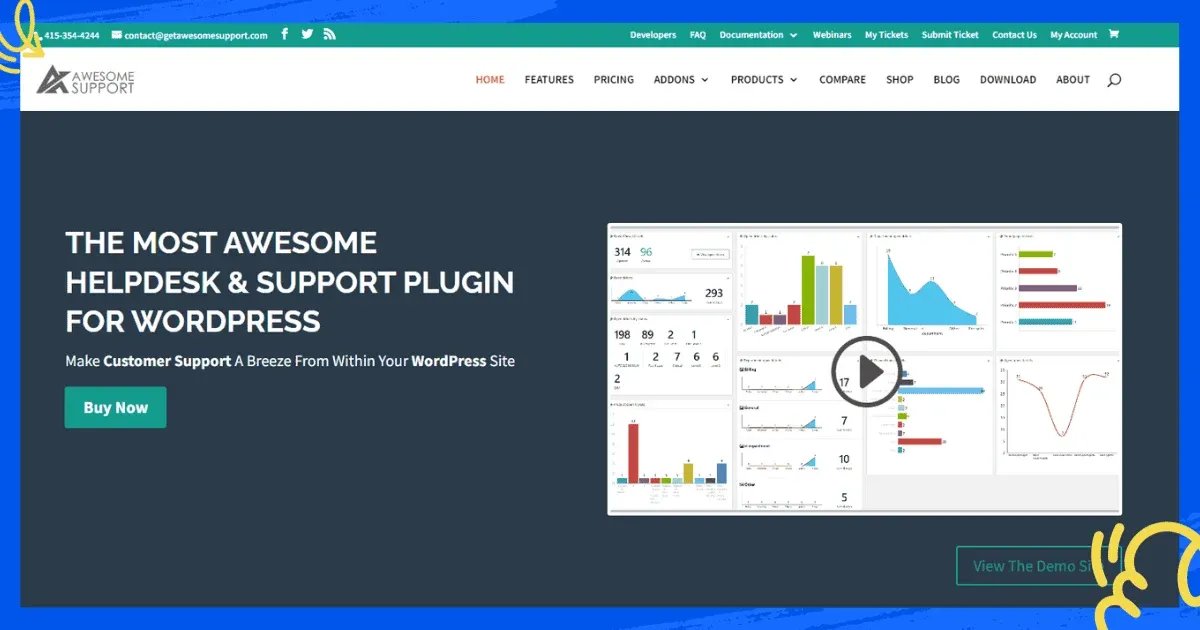
Awesome Support is a WordPress helpdesk plugin with a free core version. It’s built for sites that want ticketing to stay inside WordPress, the way SupportCandy does, with a deeper feature set once you add its paid extensions. SupportCandy keeps its add-ons narrow. Awesome Support leans into a wider extension catalog, including billing tools most ticket plugins skip.
Top features
- Ticket management with custom fields, file uploads and time tracking, none of which SupportCandy’s core plugin includes.
- Role-based access for agents and customers.
- A support forum add-on for public discussions.
- Integrations with WooCommerce and Easy Digital Downloads.
- Billing and invoicing tools for support services billed directly through tickets.
- Email notifications that keep agents and customers updated on ticket status.
Why teams evaluate it as a SupportCandy alternative
It’s the closest like-for-like: a free core plugin, with the support forum and other extras sold as paid add-ons. There’s no single published number we could verify here, only the add-on structure itself.
What it adds over SupportCandy is a more built-out reporting layer and role-based permissions for larger agent teams. It also adds billing and invoicing tools if support work gets billed directly through a ticket. The trade-off is the same one SupportCandy makes: more moving parts to keep updated as WordPress and its plugins change underneath them.
3. JS Help Desk: best for affordable, configurable ticketing

JS Help Desk is a WordPress ticketing plugin built around configuration. It has over 150 admin settings, priority-based queuing, and a customer portal with a built-in knowledge base, aimed at a team that wants to tune the workflow rather than accept the defaults. It also logs admin changes, which helps when more than one person configures it. That knowledge base is a real point in its favor. SupportCandy needs a separate plugin for the same job.
Top features
- A searchable ticket list with filters and multiple sort options.
- Priority-based queuing with configurable overdue rules.
- Customizable, translatable email templates.
- Merge and auto-close actions across tickets.
- A customer portal that pairs ticket status with knowledge base search.
- A responsive layout that works from a phone as well as a desktop.
Why teams evaluate it as a SupportCandy alternative
It’s sold as an annual site licence rather than a monthly seat, with no published figure we could verify here. The trade for a SupportCandy user is more admin configuration, in exchange for a steeper settings menu to learn first. It doesn’t advertise a dedicated WooCommerce integration, so an order still means a second tab.
Teams that outgrew SupportCandy’s simpler assignment rules tend to land here next. That’s especially true once overdue rules and merge actions across tickets start to matter more than a clean default setup.
4. Help Scout: best for an email-first shared inbox

Help Scout moves support off WordPress entirely, into a hosted inbox that reads like email. Docs, its knowledge base, and Beacon, its chat widget, are both included on every plan. That covers the two things a SupportCandy site usually has to add through separate plugins. None of it touches the WordPress admin once it’s set up.
Top features
- A shared inbox with collision detection and saved replies.
- Docs, a customer-facing knowledge base, on every plan.
- Beacon, an in-app chat widget, included rather than sold separately.
- AI Answers, billed per resolution after a three-month trial.
- Customer profiles that carry history across every past conversation.
Why teams evaluate it as a SupportCandy alternative
The free plan covers 5 users, 1 inbox and 100 contacts a month. Standard is then $25 a user a month, Plus is $45, and Pro is $75, with an extra inbox at $12 a month. G2 rates it 4.4 out of 5.
The trade-off is leaving WordPress: tickets, chat and the knowledge base all move to Help Scout’s own hosted tool. A store loses the option to manage support from the same dashboard as everything else, and there’s no first-party WooCommerce order lookup built in. Moving existing tickets over is a one-time import, not an ongoing sync. See ThriveDesk vs Help Scout.
5. Richpanel: best for multi-store ecommerce self-service

Richpanel is a hosted help desk built around a self-service portal. It reads more like a full help desk than a WordPress ticket plugin, with a broader agent workspace to match. It’s aimed at ecommerce brands running more than one storefront, not a single WordPress site. That puts it in a different league from a plugin built for one shop.
Top features
- A self-service portal for common questions, available around the clock.
- Store-specific branding and self-service in more than one language.
- An agent inbox that unifies channels and customer data in one screen.
- Migration tooling from Gorgias, Zendesk, Freshdesk, Help Scout and Intercom.
- Scheduling and reporting built for managing several agent teams at once.
Why teams evaluate it as a SupportCandy alternative
Richpanel bills per agent on a tiered structure and doesn’t publish a figure we could verify. What it adds over a WordPress plugin is multi-store support and self-service in several languages, aimed at a brand bigger than a single WordPress site.
The migration tooling also makes it an easier move for a team already on Gorgias or Zendesk. A single-store WooCommerce site is unlikely to need most of what makes Richpanel worth the switch; it’s built for brands running several storefronts, not one WordPress install.
6. KB Support: best for knowledge-base-led self-service
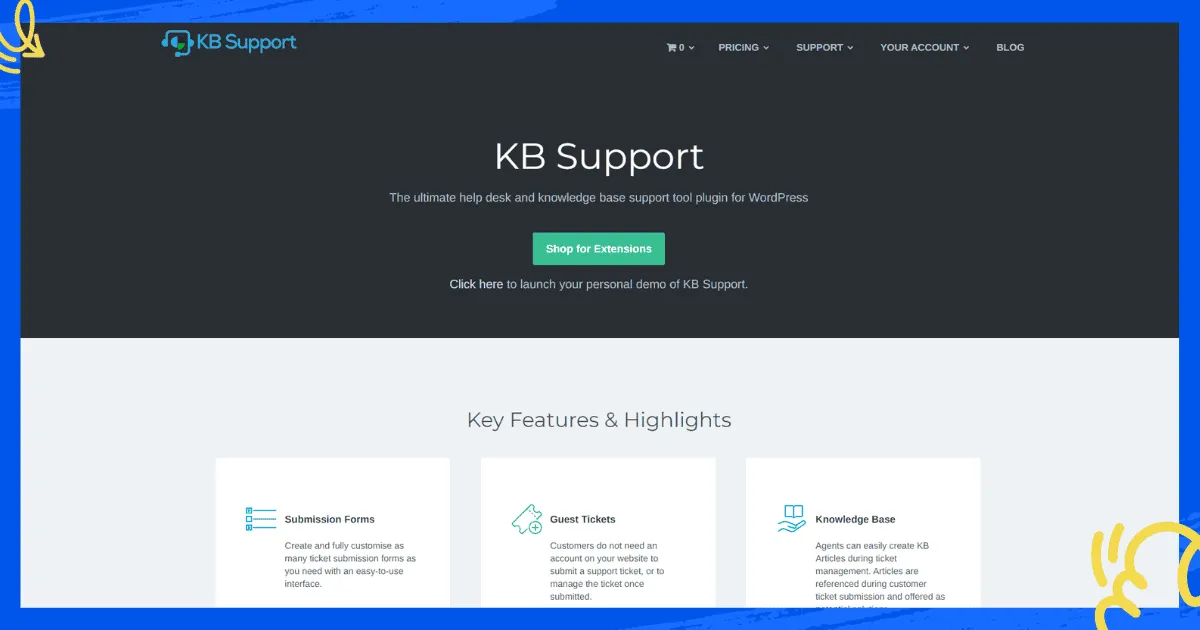
KB Support is a WordPress plugin built around the knowledge base first. Ticketing is the layer around it, rather than the other way round. That flips the priority SupportCandy starts from.
Top features
- Customizable ticket submission forms, including guest tickets with no account needed.
- A built-in knowledge base agents can write from inside a ticket, then link straight into a reply instead of retyping the answer.
- Ticket automation for assignment and notifications.
- Email piping to convert incoming emails into tickets.
- Analytics on response times, ticket status and customer satisfaction.
Why teams evaluate it as a SupportCandy alternative
It’s sold as an annual site licence, the same model as most of the plugins in this list, and it doesn’t publish a figure either. The difference from SupportCandy is emphasis.
KB Support leads with self-service, where SupportCandy leads with the ticket form. It suits a site with a large library of answers already written, and agents who’d rather write an article than answer the same question twice.
How to choose between these SupportCandy alternatives
- You want to stay entirely inside a WordPress plugin: Awesome Support or KB Support, depending on whether tickets or the knowledge base matter more.
- You want deep admin configuration: JS Help Desk.
- You want support to feel like email: Help Scout.
- You run more than one storefront: Richpanel.
- You run a WooCommerce store and want order data in the ticket, plus live chat and a knowledge base, without leaving WordPress: ThriveDesk.
Weigh whether you want to keep managing a plugin on your own WordPress install, or hand hosting to someone else. That decision matters more here than the feature list does. Put your ticket volume into the help desk cost calculator before you commit. An annual plugin licence and a per-user hosted plan cross over at different team sizes, and the cheapest option at launch isn’t always the cheapest a year in.
Why teams choose ThriveDesk over SupportCandy
Teams outgrow SupportCandy for the same reason they picked it: WordPress was simple, and a ticket form was enough. It stops being enough once customers expect live chat and a self-service page too, and the add-on bundle needed to catch up starts looking like its own budget line. Here’s what changes with ThriveDesk.
Live chat and a help center, not just a ticket form. The shared inbox, live chat and help center live in one workspace, so a customer question doesn’t need three different plugins to answer it. There’s nothing extra to update when WordPress ships a new version.
WP Portal keeps a page on your own site. WP Portal, on the Unlimited plan, gives customers a native page on your WordPress install to check tickets and browse articles, instead of moving support fully off-site.
Store data is in the conversation. With WooCommerce, SureCart or Freemius connected, the order shows next to the ticket, and Neo can answer the order-status question on its own. No agent has to open a second tab to look it up.
The price is the price. It’s $29 a month on Basic, $69 on Standard, and $129 for unlimited teammates with WP Portal on Unlimited, with no add-on bundle to assemble and no per-agent fee to plan around as the team grows. If you’re moving a queue over, the comparison pages put ThriveDesk next to every tool on this list.
Start the 7-day trial; no card needed.






